

I Built CSVAll.com: a Simple Tool Website for CSV and Financial File Conversion
I built CSVAll.com to view CSV files online and convert QIF, IIF, OFX, QFX, and QBO into spreadsheet-friendly formats. Here is why I made it, what each tool does, and what I learned.
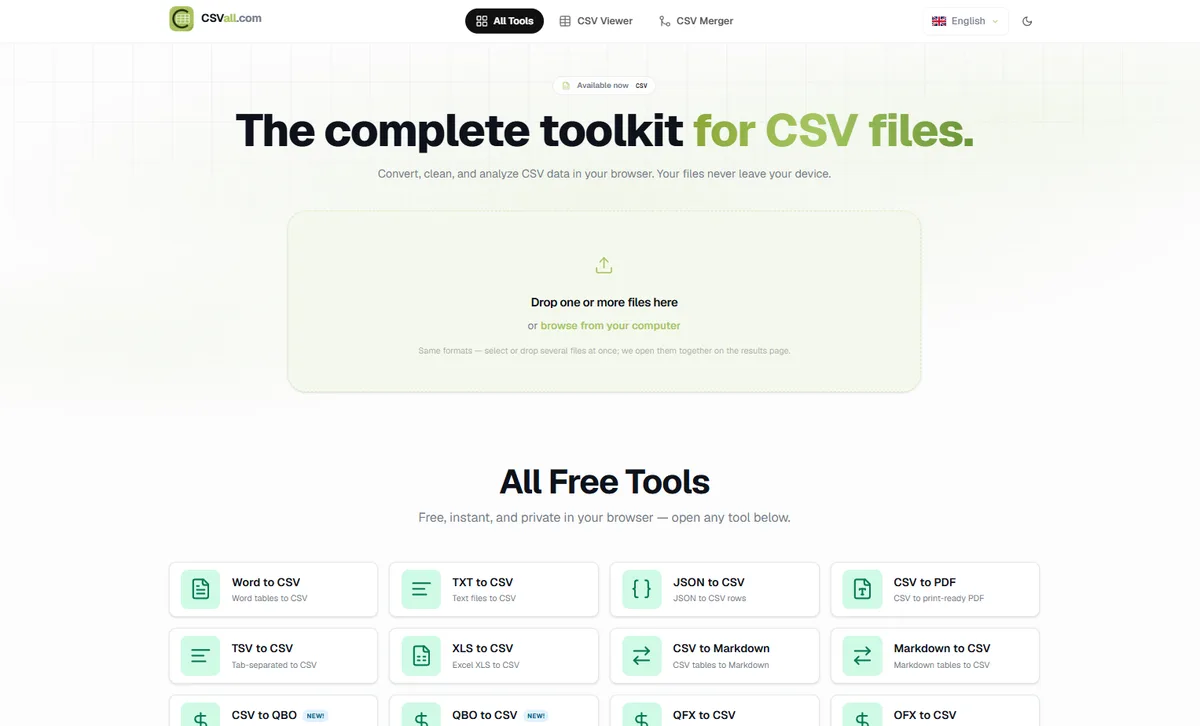
I recently built and launched CSVAll.com, a simple online platform for viewing CSV files and converting common financial file formats into CSV and other accounting-friendly formats. As a developer, I enjoy building practical tools that solve real problems. CSVAll.com was created with that goal: make file conversion easier for anyone who works with spreadsheets, accounting data, bank exports, and financial software.
8
Online tools
6+
Financial formats
Free
To use
Fast
Browser-based
Why I Built CSVAll.com
Many people work with CSV files every day. CSV files are used by developers, accountants, bookkeepers, business owners, freelancers, finance teams, and data analysts.
However, financial data does not always come in a clean CSV format. Sometimes users receive files in formats such as QIF, IIF, OFX, QFX, or QBO. These formats are often used by banks, QuickBooks, Quicken, and other financial software.
The problem is that these file types are not always easy to open, read, edit, or import into another system. That is why I built CSVAll.com: to provide simple online tools for viewing CSV files and converting financial file formats quickly.
What CSVAll.com Offers
CSVAll.com currently includes several useful tools for CSV and financial file conversion.
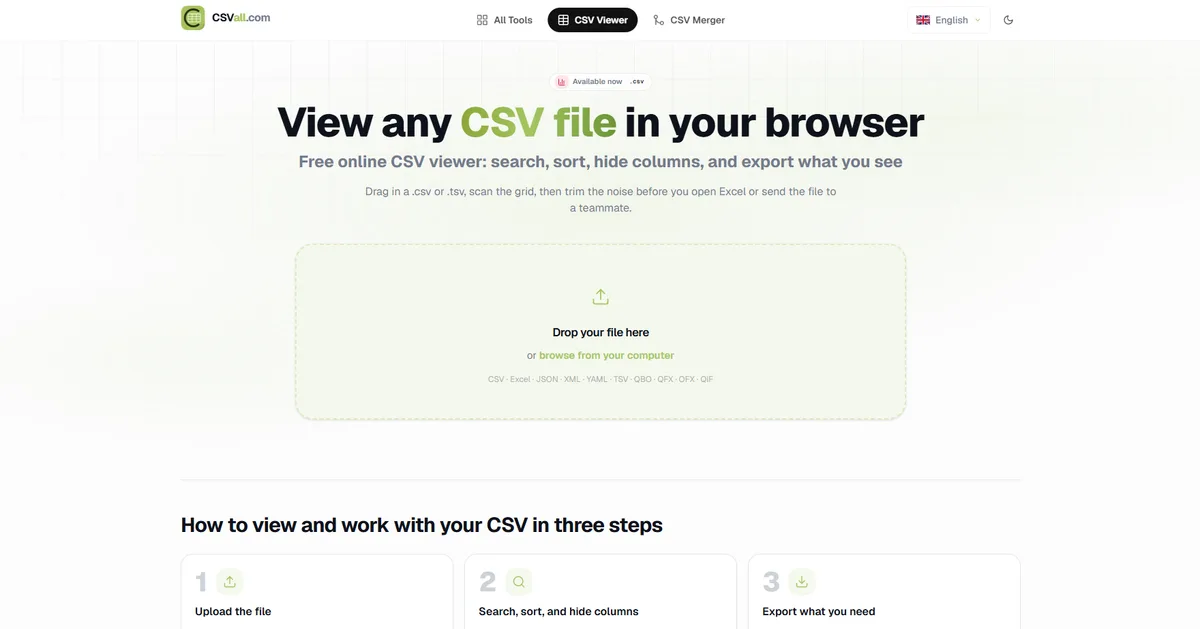
CSV Viewer
The CSV Viewer allows users to open and view CSV files online. This tool is useful for quickly checking rows, columns, and file structure before importing a CSV file into another platform.
QIF to CSV Converter
The QIF to CSV converter helps users convert Quicken Interchange Format files into CSV. This is helpful for users who want to review or manage financial transaction data in a spreadsheet-friendly format.
IIF to CSV Converter
The IIF to CSV converter is designed for users working with QuickBooks-related IIF files. By converting IIF files to CSV, users can more easily inspect, clean, and organize accounting data.
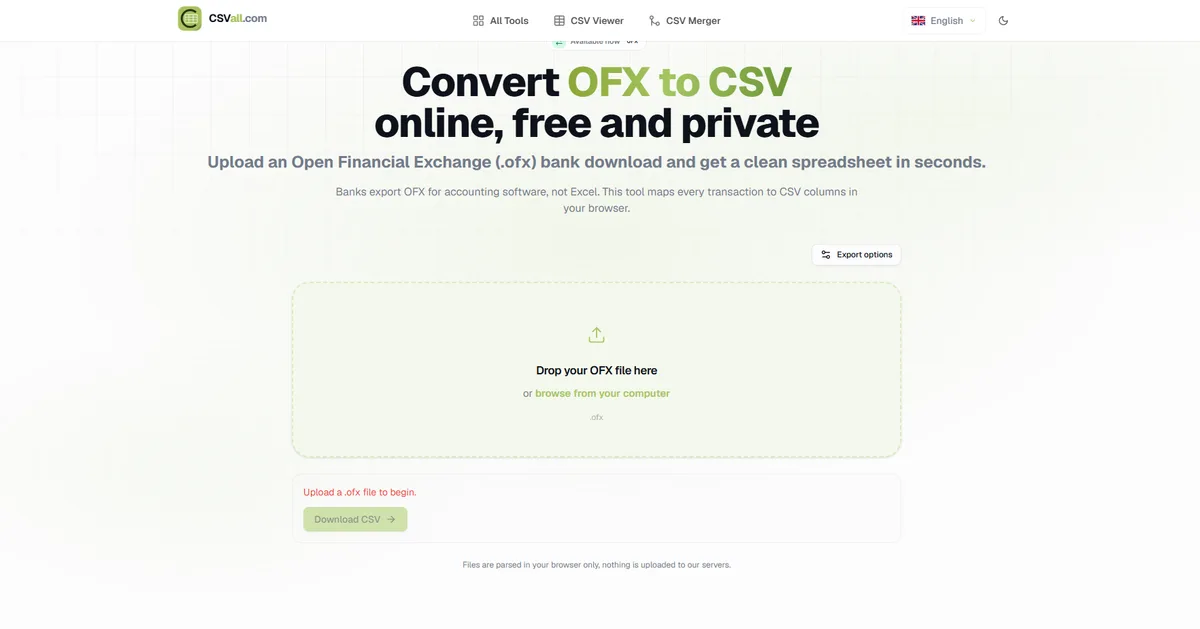
OFX to CSV Converter
The OFX to CSV converter helps users convert Open Financial Exchange files into CSV. OFX files are often used by banks and financial institutions. Converting them to CSV makes the transaction data easier to work with.
QFX to CSV Converter
The QFX to CSV converter allows users to convert QFX files into CSV format. This is useful for people who receive transaction files from financial software or banks and want to analyze the data in a spreadsheet.
QBO to CSV Converter
The QBO to CSV converter helps users convert QuickBooks Online banking files into CSV. This tool is useful for accountants, bookkeepers, and business owners who need to review QBO transaction data outside QuickBooks.
CSV to QBO Converter
The CSV to QBO converter allows users to convert CSV transaction data into QBO format. This can help users prepare CSV-based transaction data for accounting workflows that require QBO files.
CSV to QIF Converter
The CSV to QIF converter helps users convert CSV files into QIF format. This is useful for importing CSV transaction data into financial software that supports QIF files.
Who This Website Is For
CSVAll.com is designed for anyone who works with CSV or financial transaction files, including:
- Accountants and bookkeepers
- Small business owners
- Developers and freelancers
- Finance teams and data analysts
- Users moving data between accounting tools
The website is built to be simple, focused, and easy to use.
What I Learned From Building This Project
Building CSVAll.com gave me the opportunity to work on a practical product that combines file handling, data formatting, user experience, and SEO-focused landing pages.
- Designing a clean and simple user interface
- Creating useful file conversion pages
- Making the website easy to navigate
- Structuring pages around real user search intent
- Building tools for common accounting and CSV workflows
- Improving the website for users who need fast online conversion tools
This project helped me improve both my technical skills and my understanding of building useful web tools for real-world users.
Final Thoughts
CSVAll.com is a project I built to solve a practical problem: making CSV and financial file conversion easier.
Whether someone needs to view a CSV file, convert QIF to CSV, convert OFX to CSV, convert QBO to CSV, or convert CSV into QBO or QIF format, the goal is to make the process simple and accessible. You can explore the full site at csvall.com.
I plan to continue improving the website and adding more useful tools in the future.
View CSV files and convert QIF, IIF, OFX, QFX, and QBO online.
Open CSVAll.com →Frequently asked questions
Frequently Asked Questions About CSVAll.com
Quick answers on supported formats, who the tools are for, and how CSVAll.com helps with accounting and bank export workflows.